
Short answer
To delegate travel to an assistant, give them a travel profile (passport and loyalty numbers, home airport, airline, seat and hotel preferences), a budget and approval rule, and your backup choices for when plans change. Then hand over one stage at a time: research and booking first, then itineraries and ground transport, then last-minute changes and expense reports. A good assistant can book flights and hotels, build the itinerary, rebook cancellations and keep documents and receipts in order.
Key takeaways
- Start with a written travel profile: documents, loyalty numbers, home airport, airline, seat and hotel preferences.
- Set a budget and an approval rule so the assistant knows what they can book without asking.
- Write down backup choices for cancellations, long layovers and sold-out hotels.
- Hand over research and booking first, then itineraries, ground transport, changes and expenses.
- One shared itinerary tool and one chat channel make last-minute changes fast.
A virtual assistant (VA) or remote executive assistant (EA) can run your business travel end to end: research, bookings, itineraries, ground transport, last-minute changes and expenses. What makes it work is a written travel profile, a clear budget rule and backup choices agreed in advance. This playbook covers each one, the tasks to hand over and the tools to use.
Why Should You Delegate Travel Management?
Travel logistics are detailed, repetitive and full of small decisions: which flight, which seat, which hotel, what to do when a connection is cancelled. That makes travel one of the easiest areas to hand over once your preferences are written down.
An assistant who owns your travel compares options against your rules, keeps one itinerary up to date and handles changes while you're in the air. Over time, they learn the details that make a trip easier for you, and you stop thinking about logistics at all.
How to Create a Basic Travel Profile
Creating a basic travel profile for your virtual assistant is crucial for efficient travel management. A well-organized profile outlines your preferences, avoiding miscommunication.
- The essentials: personal information like full name, frequent flyer numbers, passport details, and contact information. This ensures your EA has everything needed for seamless bookings and check-ins. Keeping this info up-to-date also prevents booking errors or delays.
- Travel preferences: Specify airline and hotel preferences, seating arrangements, preferred flight times, and any loyalty programs. Providing this upfront lets your assistant book to your preferences without checking each time.
- Budget guidelines: Whether you cap flights at a certain price or limit hotel stays to specific star ratings, clear budget constraints help avoid unnecessary expenses. Add an approval rule too, such as "book anything under the cap, ask me above it."
The Basic Travel Profile
- Passport number & known traveler number
- Loyalty numbers (airline, hotel, car rental, etc)
- Airline preference
- Home airport
- Seating class, seating type, legroom preference, and emergency row preference
The Advanced Travel Profile
- Preferred travel time (morning, evening, no red eyes, etc)
- Transportation: Hire a car when they arrive or rideshare?
- Type of accommodation: Airbnb, hotel, villa?
- Amenities: Which hotel amenities are dealbreakers and which are nice to have?
- Food preferences: Food preferences or restrictions to consider while traveling?
- Timezones/currency: Will there be a time change or a different currency to consider?
Process for Helping Your EA Gather Your Travel Preferences
Helping your travel virtual assistant gather your travel preferences is a key step for efficient travel management.
1. Have Clear Preferences:
Start by creating a clear, organized list of preferences. This should include preferred airlines, seating preferences, hotel chains, and transportation options. Providing this upfront means fewer questions on every booking.
2. Outline Your Preferences:
Use a shared document or form to outline these preferences in a simple format. Include specifics, like whether you prefer window or aisle seats, hotel loyalty programs, and if you prioritize direct flights. Setting clear expectations upfront reduces the back-and-forth communication and speeds up the booking process.
3. Define a Budget:
Next, set guidelines for budget limits and travel standards. Define maximum prices for flights and hotels, along with any flexibility for upgrades or last-minute changes. Say which costs need your approval and which don't.
4. Set Backup Preferences:
It’s best to prepare in case something doesn’t work out as it should, so try to share with your EA a list of the second best options in the scenario that your first preference isn’t available. You should let them know what you’d prefer in case of a cancelled flight, long layover, or other unexpected situations where your travels don’t go as planned. While it may never be used, it is still best to make contingency plans for such situations.
5. Share Your Favorite Details:
Let your travel virtual assistant know what your little “delighters” are. Meaning, your preferences for the things that make you the happiest. It’s all in the details when it comes to being comfortable while traveling to new environments and bringing a small piece of home with you anywhere you go. Share with them that you’d love to have a route ready to visit local coffee shops on the way to meetings, or that you’d enjoy ending the day at the park. This way, you can encourage them to be proactive when scheduling your trips and to include little details that make your travels better.
6. Review Your Travel Preferences:
Lastly, schedule a brief meeting or exchange to review the document with your EA. This ensures there are no misunderstandings and gives your travel virtual assistant the opportunity to ask questions or clarify preferences. We recommend regularly updating this document as preferences change to keep the work smooth and efficient.
Tasks To Delegate to a Virtual Travel Assistant
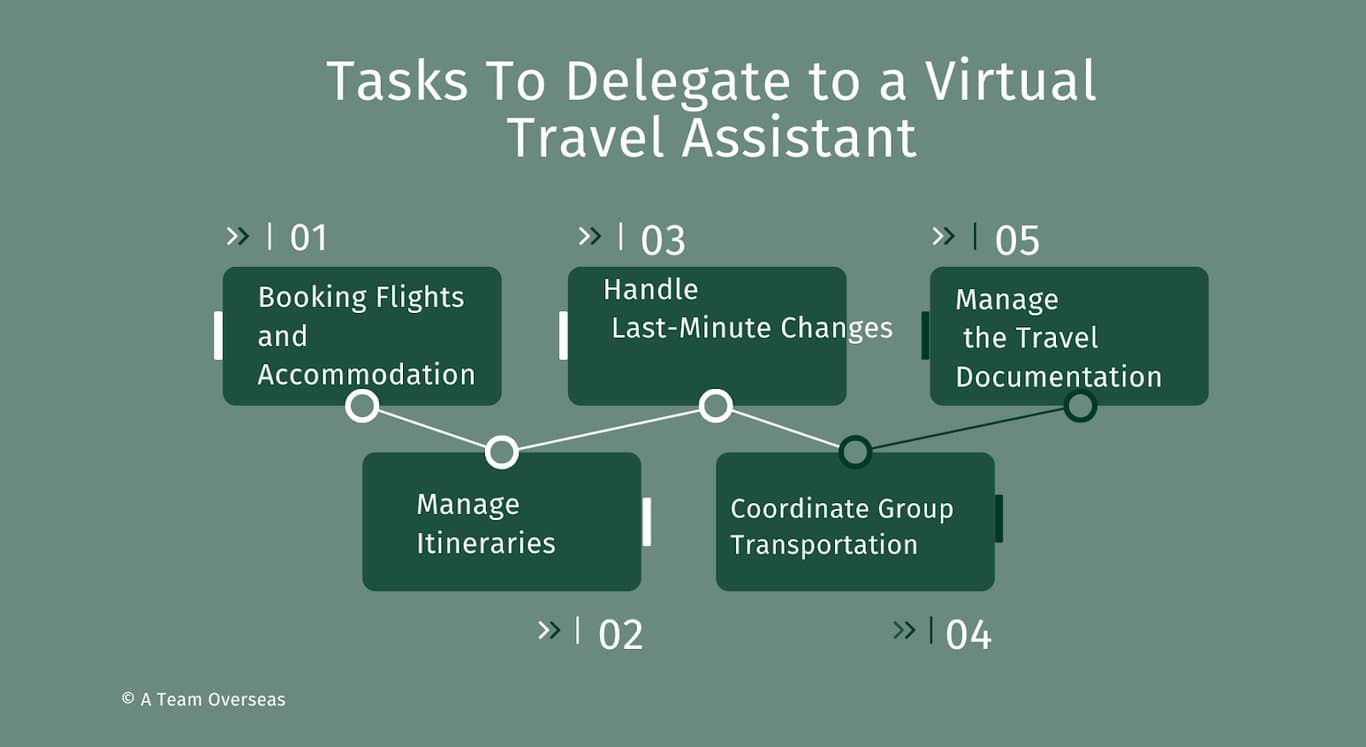
Booking Flights and Accommodation:
A travel virtual assistant can manage flight searches, compare prices, and secure bookings based on your travel preferences. They can also handle hotel reservations, ensuring you stay at preferred locations or loyalty program partners.
Managing Itineraries:
Your travel assistant can organize all travel details into a clear, easy-to-follow itinerary. This includes flight times, hotel check-ins, meeting schedules, and local transportation. Centralized itineraries help reduce stress and ensure you never miss important details.
Handling Last-Minute Changes:
EAs are invaluable for rebooking flights or accommodations when plans change unexpectedly. They can quickly handle cancellations, new bookings, and adjustments, keeping you on track without disruption.
Coordinating Ground Transportation:
From arranging airport transfers to booking car services or public transportation, your EA ensures that all local travel is pre-arranged. Include pickup details and driver contacts in the itinerary.
Managing Travel Documentation:
Your travel virtual assistant can ensure all necessary travel documents - like visas, insurance, and IDs - are prepared and stored properly. This helps prevent any issues at airports or borders and ensures smooth travel.
Essential Travel Preferences to Document
1. Flight Preferences:
List preferred airlines, cabin class, seating choices (aisle or window), and whether layovers are acceptable. Say whether direct flights are a must. If you have loyalty program memberships, make sure to include those as well.
2. Hotel Preferences:
Specify your preferred Airbnb types, hotel chains, room types (king bed, suite), and amenities like Wi-Fi or breakfast. If being close to your meetings matters, say so. Also, include any loyalty programs to maximize points.
3. Ground Transportation:
Detail whether you prefer renting a car, using ride-share services, or booking private drivers. For urban areas, you may prefer public transport or shuttles. This avoids confusion and ensures your travel EA books the most convenient option.
4. Dietary and Special Requests:
Document any dietary restrictions or preferences for meals during travel. If you need quiet rooms or additional amenities like early check-ins or late check-outs, make sure those are included. This helps your EA customize every aspect of your trip to your liking.
Tools Your Remote Executive Assistant Can Use for Efficient Travel Management
For efficient travel management, your remote executive assistant can leverage a variety of tools to streamline bookings, track itineraries, and handle last-minute changes. These tools save time and reduce the chances of errors, ensuring a smooth travel experience.
Travel Booking Platforms
Tools like Skyscanner, Google Flights, and Kayak allow travel virtual assistants to compare flight and hotel prices quickly. These platforms aggregate options from various airlines and hotels, helping find the best deals and routes.
Itinerary Management Tools
Apps like TripIt and App in the Air organize all travel details into a single, easily accessible itinerary. Your EA can input flight schedules, hotel bookings, and ground transportation in one place. These apps also send real-time alerts for delays or cancellations, so adjustments can be made instantly without disruption.
Expense Tracking Software
For managing travel costs, tools like Expensify or SAP Concur help keep track of receipts, expenditures, and reimbursements. Your EA can file receipts during the trip and submit the report when you're back.
Communication and Coordination
Using platforms like Slack or Microsoft Teams ensures constant communication between you and your EA. These tools allow real-time updates and quick decision-making, especially when handling last-minute travel changes.
Ready to Start Delegating Travel Management?
Start with your travel profile and one upcoming trip, then hand over more as your assistant learns your preferences. Travel pairs naturally with calendar, inbox and meeting management, which most executive assistants own together.
A Team Overseas places Philippines-based executive, operations and marketing assistants who work on your payroll, and we match working hours to any timezone, including US, Australia, UK and Asia hours. See our executive assistant role page or book a call.
Frequently asked questions
Can a virtual assistant book travel arrangements?
Yes. A virtual assistant can research and book flights, hotels and ground transport, build your itinerary, manage check-ins and seat selection, rebook when plans change and file expense reports, using your accounts, loyalty numbers and payment rules.
What information does a VA need to book travel for me?
Your full name as on your passport, passport and known traveler numbers, loyalty numbers, home airport, airline, seat, hotel and transport preferences, your budget and approval rule, and how you want to be told about changes.
How does a travel assistant handle last-minute changes?
With backup preferences agreed in advance, the assistant can rebook a cancelled flight, move a hotel night or rearrange ground transport without waiting for you, then update the shared itinerary and tell you what changed. Agree what they can approve on their own and what needs a quick yes from you.
Is it safe to share passport and payment details with an assistant?
Share them through a password manager rather than email or chat, use a company card with limits where you can, and give access only to the travel and expense tools the work needs.
What travel tasks should I delegate first?
Start with research and booking for a straightforward trip, then itineraries and ground transport. Once the assistant knows your preferences, hand over last-minute changes, visa and document checks, and expense reports.
About A Team Overseas
A placement service that finds, places and supports Philippines-based executive, operations and marketing assistants who work on the client's payroll, with 90 days of guided onboarding for both of you.
- Founders and small teams with named, recurring work who want a guided start, including first-time remote hires.
- Cost: a one-time placement fee of 20% of your assistant's first-year pay ($2,000 minimum, paid once), plus your assistant's pay. Paid directly by the client, $1,200–2,000/month for full-time engagements, by experience tier, agreed before placement.
- We specialize in more senior talent: mid-level assistants who are resourceful, proactive, reliable and AI-enabled.
- Support: Check-ins weekly in month one, then every two weeks or monthly through day 90, then as needed.