
Short answer
To delegate meetings to a virtual assistant, write down your scheduling rules once (meeting hours, buffers, who gets priority, what needs your approval), give them edit access to your calendar and booking link, and hand over one stage at a time: scheduling first, then reminders and prep, then notes and follow-ups. Agree how they'll flag conflicts, and review a week of their work together before you step back.
Key takeaways
- Your assistant can't schedule well without your rules. Write them down in one page before handing anything over.
- Start with scheduling and rescheduling, the most frequent task with the clearest rules.
- Add prep (agendas, briefs, links) once scheduling runs without you, then notes and follow-ups.
- Decide which meetings they can accept, decline or move on their own, and which need you.
- Review the calendar together weekly for the first month, then step back.
Delegating meetings works when your assistant knows your rules, not just your calendar. This playbook covers the one-page set of rules to write first, the order to hand things over in, and the checklists for before, during and after each meeting.
Why Should You Delegate Meeting Management to a Virtual Assistant?
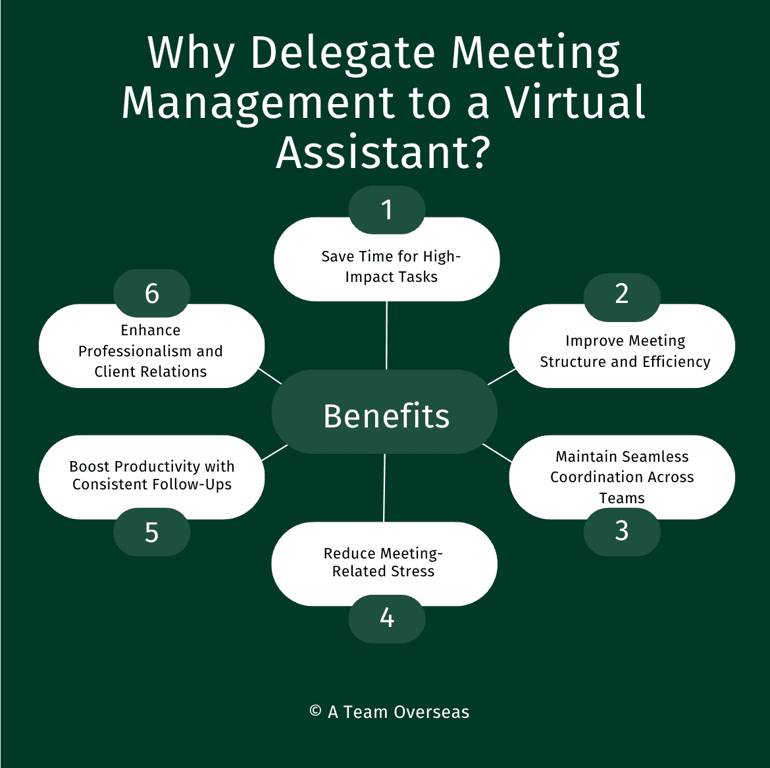
Meetings generate a steady stream of small, rules-based work: finding times, moving them, sending links, chasing agendas and following up. Each piece is quick, but together they interrupt you all day. That makes meeting management one of the best first loops to hand to an assistant: it happens every day, the rules are easy to write down, and you can see quickly whether it's working.
Step 1: Write Your Meeting Rules Down
Before you hand anything over, spend 20 minutes writing one page your assistant can follow. Cover:
- Hours and timezone: when meetings can happen, and when they can't.
- Protected time: focus blocks, personal commitments and travel days.
- Buffers: how much time between calls, and before important ones.
- Default lengths: for example, 25 minutes for intro calls and 50 for client reviews.
- Priorities: which people and meeting types win when there's a conflict.
- Decision rights: what they can accept, decline or move on their own, and what needs you.
- Your tools: calendar, booking link, video platform and notetaker.
Your assistant keeps this page up to date as you correct them.
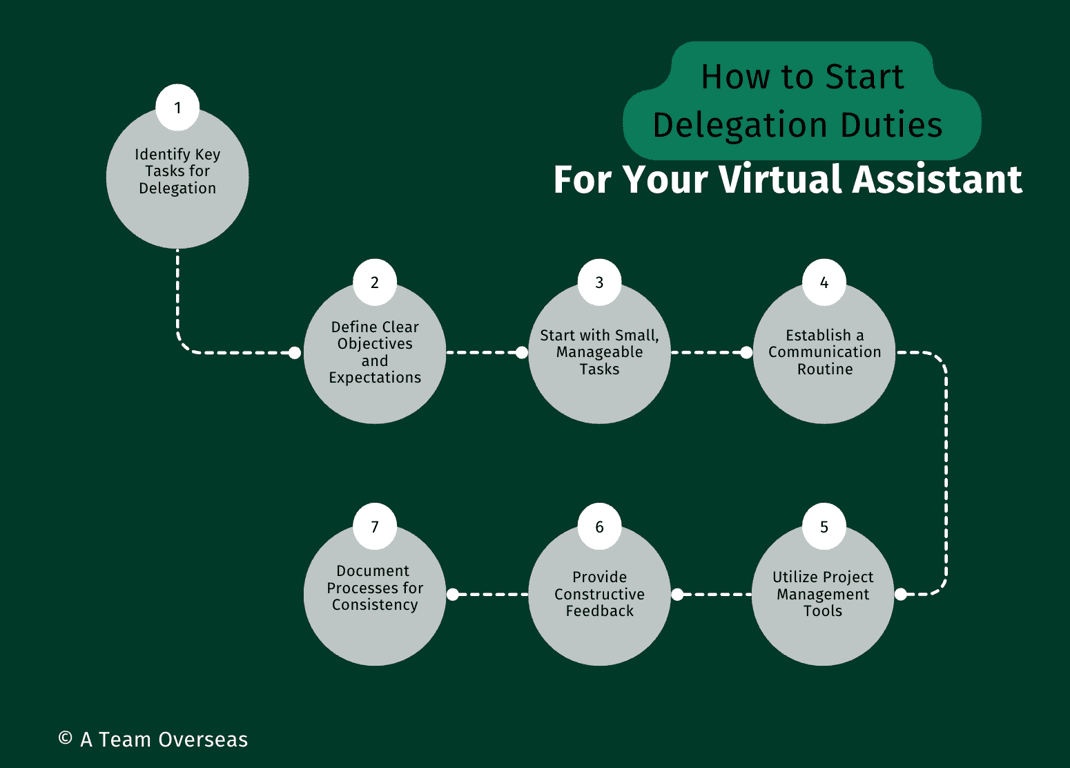
Step 2: Hand Over One Stage at a Time
1. Scheduling and rescheduling
Give them edit access to your calendar and booking link, and send all scheduling requests their way. Use an introduction email so people know to contact them. Ask for one daily message with conflicts and pending decisions, instead of a ping for each one. Our calendar management playbook goes deeper on this stage.
2. Reminders and logistics
Once scheduling runs without you, add reminders, video links, room bookings and confirming external attendees the day before.
3. Prep
Then add agendas, attendee briefs (who they are, what was said last time, open items) and gathering the documents you need.
4. Notes and follow-ups
Finally, have them take or tidy notes, send the summary and action items, and chase each item until it's done.
Tasks to Delegate for Effective Meeting Management
| Stage | Tasks your assistant can own |
|---|---|
| Before | Find times, send invites, hold time for pending meetings, confirm attendees, set up links, prepare the agenda and a short brief |
| During | Take notes or run the notetaker, track decisions and owners, keep time if asked |
| After | Send the summary and action items within the agreed time, update your task or project tool, follow up until items close |
| Weekly | Review next week's calendar with you, flag overloaded days, suggest what to move or decline |
Pre-Meeting Preparation Strategies To Work on With Your VA
Agree a standard checklist your assistant runs for every external meeting:
- Confirm the time with every attendee, in their timezone.
- Check the video link or location works, and that it's in the invite.
- Send or request the agenda at least a day ahead.
- Prepare a five-line brief: who's attending, the goal, what happened last time, open items and anything you need to decide.
- Attach or link the documents you'll need.
- Send a reminder on the morning of the meeting if attendance matters.
Common Mistakes When Delegating Meetings
- No written rules. Your assistant ends up guessing, and you end up checking everything.
- Two people moving meetings. If you and your assistant both accept invites, double bookings follow. Pick one owner.
- Handing everything over at once. Start with scheduling, get it right, then add the next stage.
- No decision rights. If every change needs your approval, you haven't delegated it yet.
- Skipping the weekly review. Fifteen minutes on next week's calendar catches most problems before they happen.
Ready To Hire a Virtual Assistant and Start Delegating Meeting Management?
Meeting management is often the first lane an executive assistant owns, and it leads naturally into inbox management and travel. A Team Overseas places Philippines-based executive assistants who work your hours and helps you set up the handover in the first weeks. Book a call to talk it through.
Frequently asked questions
How do I delegate scheduling to a virtual assistant?
Give them edit access to your calendar and booking link, write down your scheduling rules (meeting hours, buffers, priorities, what needs your approval), and let them handle every request from now on. Ask them to flag conflicts in one daily message rather than as they come in, and review a week of their scheduling together before stepping back.
What meeting tasks can a virtual assistant handle?
Scheduling and rescheduling, sending invites and reminders, setting up video links, preparing agendas and attendee briefs, gathering documents, taking notes, sending summaries and action items, and following up until items are done.
What should I tell my assistant before they manage my calendar?
Your working hours and timezone, the times you protect for focused work, how much buffer you need between meetings, which people and meeting types take priority, how long each kind of meeting should be, and which decisions they can make without asking.
Should my virtual assistant attend my meetings?
For internal meetings and recurring calls, often yes, to take notes and own the follow-ups. For sensitive client or personnel conversations, decide case by case; an AI notetaker plus a summary from your assistant afterwards can work instead.
How do I stop double bookings when my assistant manages my calendar?
Use one calendar as the source of truth, connect your booking link to it, and agree that only one person (your assistant) accepts and moves meetings. Ask them to hold time for anything pending so nothing else lands on top of it.
About A Team Overseas
A placement service that finds, places and supports Philippines-based executive, operations and marketing assistants who work on the client's payroll, with 90 days of guided onboarding for both of you.
- Founders and small teams with named, recurring work who want a guided start, including first-time remote hires.
- Cost: a one-time placement fee of 20% of your assistant's first-year pay ($2,000 minimum, paid once), plus your assistant's pay. Paid directly by the client, $1,200–2,000/month for full-time engagements, by experience tier, agreed before placement.
- We specialize in more senior talent: mid-level assistants who are resourceful, proactive, reliable and AI-enabled.
- Support: Check-ins weekly in month one, then every two weeks or monthly through day 90, then as needed.